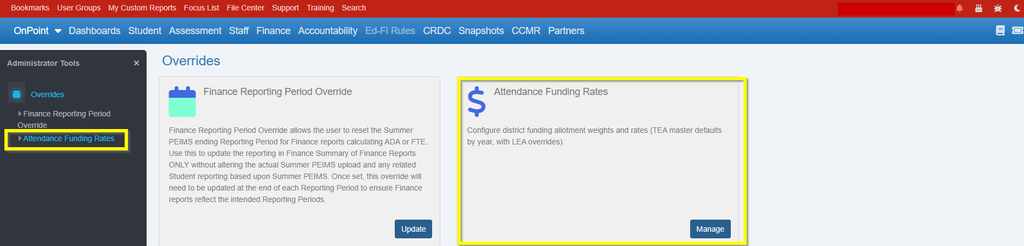
The Attendance Funding Rates Override functionality is available for School Business Official users of OnDataSuite (ODS) with Finance access.
What is it? The functionality gives Finance users the ability to verify and reset any school finance funding rates and weights that may have been adjusted from the state base.
Why? These rates are the references to be applied to any current or future ODS Finance funding allocation reports.
Where to access it? The minimum ODS Finance user permissions required to access the functionality are:
- Finance Administrator
- Finance Reports
- Student Aggretate Reports
The functionality is accessible from the following location once the required permissions are assigned to the Finance user:
- Administrator access (located under the upper right hamburger menu)

Select the Attendance Funding Rates option from the left menu.