
As of 2025-2026 , the new TSDS PEIMS Attendance six weeks submission CSV upload ability for the respective six week is outlined below.
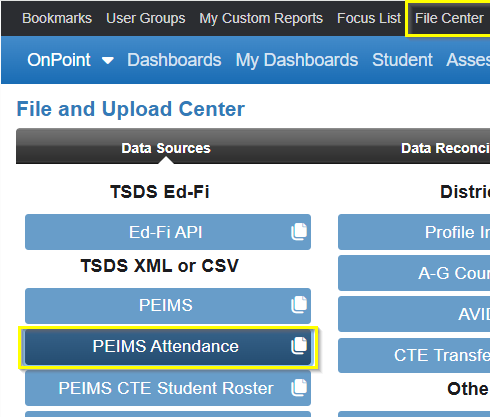
Note: File should be in CSV format.
Review https://kb.ondatasuite.com/knowledge-base/loading-tsds-csvs-as-of-2024-2025/ for overview of functionality to obtain the CSVs and how the file is processed and impact OnDataSuite.
- Use Chrome as your browser when loading files.
- Format required = CSV only
- Files can be loaded either zipped or unzipped.
- If zipped, ensure interchanges are directly in the zipped file and not in a parent folder within the zipped file.
- If unzipped, multi select all the CSV files to be loaded. The order does not matter.
NOTE: Use 7-zip files (.zip), not .7z
Steps to upload:
- From the File Center > Data Sources > TSDS XML or CSV>PEIMS Attendance:
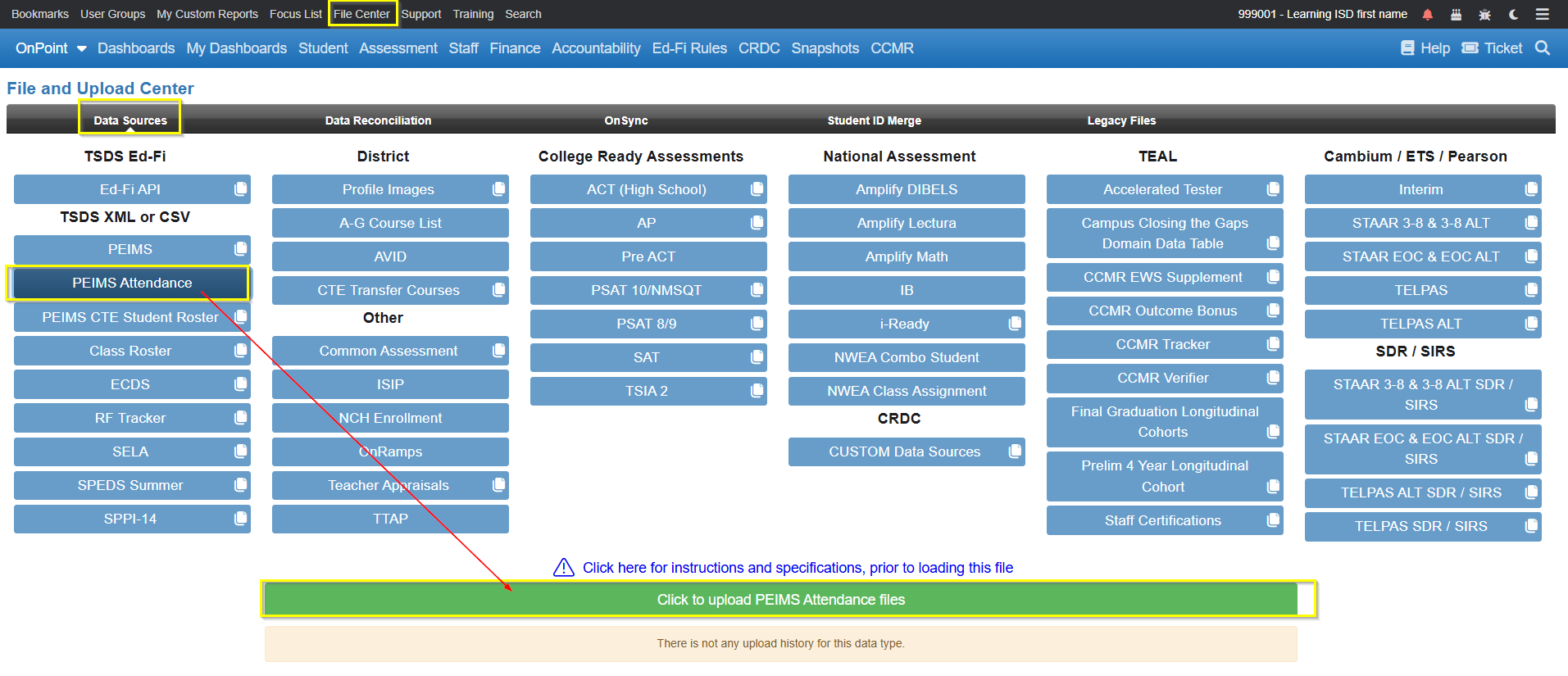
- Click on the green “Click to upload PEIMS Attendance files” button to upload (must have administrative rights).
- Browse to the location where the CSV(s) have been stored
- Click Open after selecting the file
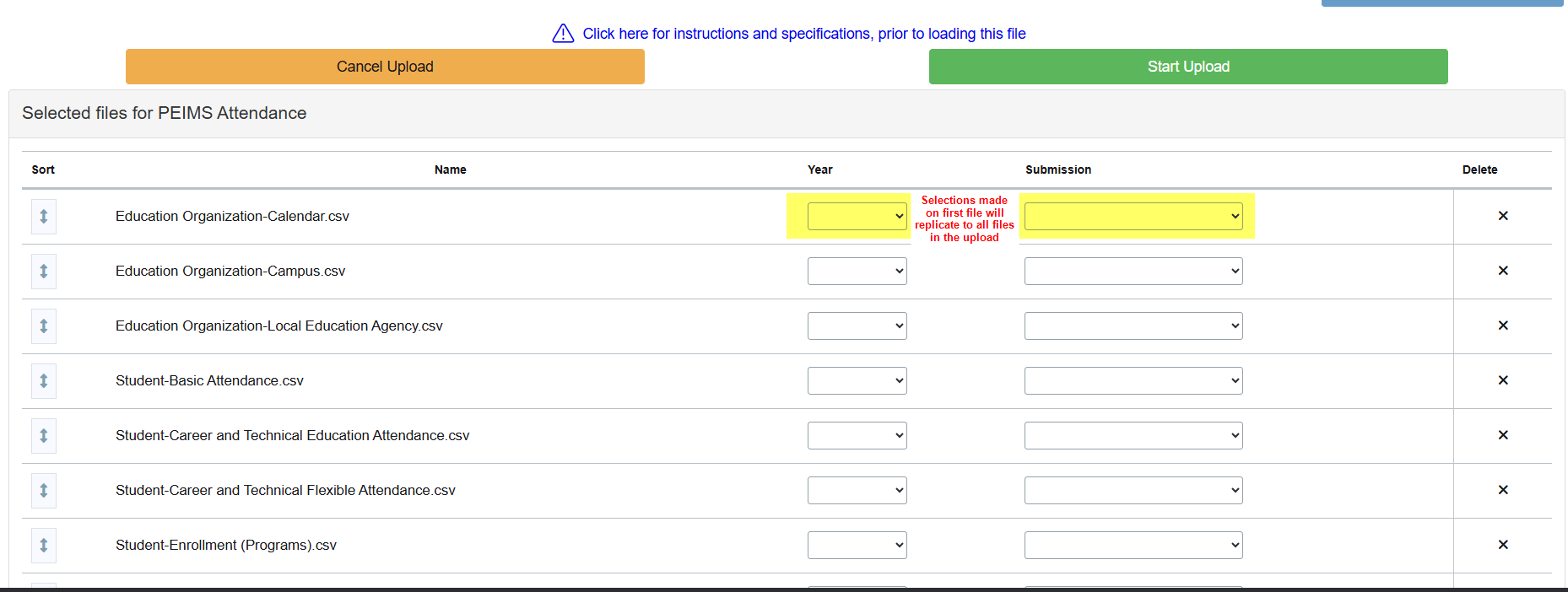
- File is displayed in the loading area
- Select the appropriate Year and Submission in the dropdown box (Selections made on first file will replicate to all files in the upload) and click green ‘Start Upload’ button
- OR Click the black X to delete file(s)
- OR ‘Cancel Upload’ to completely stop the upload process
- When data load is complete, scroll down to view the file upload details
Note: While a file is loading, you may continue to work throughout the rest of the system, including file uploads for other areas.