
What does that mean in OnDataSuite?
Once you have finalized a TSDS Submission/Collection, you may download from TSDS the final/approved CSV files. (Currently all PEIMS (Fall, MidYear, Summer, Ext Year and Attendance) , Class Roster, SELA, RF Tracker, SPPI-14, Child Find (SPEDS), and CTE Transfer Courses submissions/collections)
With the 24-25 implementation of Ed-Fi API data submissions to TEA, OnDataSuite (ODS) is accepting your TSDS CSV downloads as the recommended alternative to the Stop Promotion process which uses your latest promoted TEA Ed-Fi API data set into ODS.
Core Collections that do not currently have the CSV download option in TSDS will continue to be maintained and monitored via the Stop Promotion date in ODS to finalize the reporting.
Step 1 – In TSDS, access the View Reports menu option for PEIMS (if looking for Fall, MidYear, Summer, Ext Year and Attendance) Or switch to a Core Collection before proceeding.
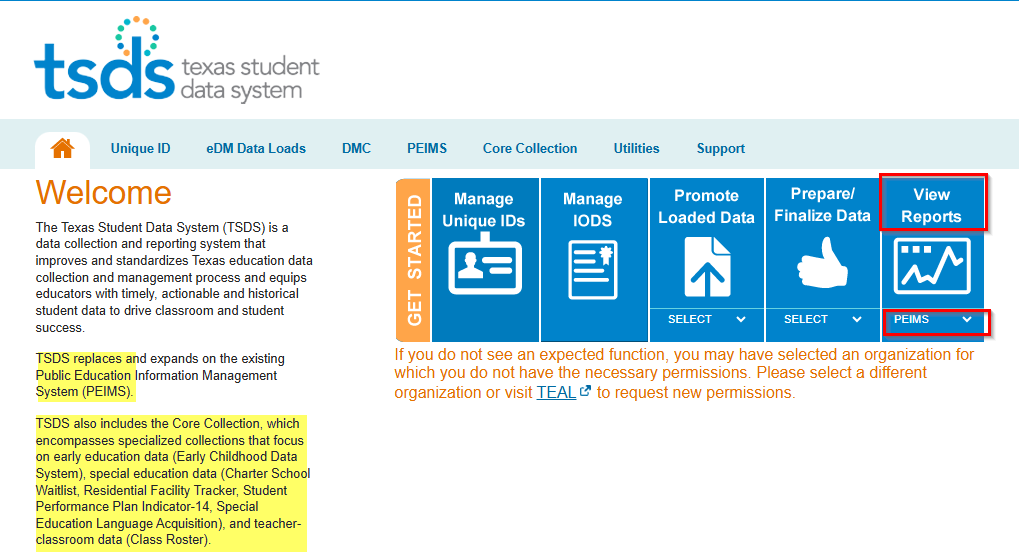
Step 2 – navigate to the respective options noted by the red arrows to generate the CSVs.
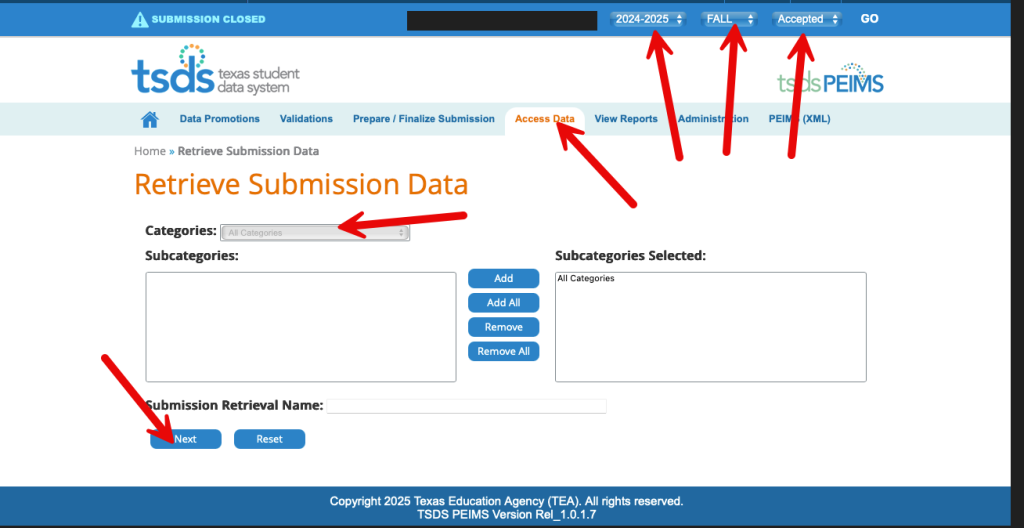
Example : PEIMS Attendance retrieval Step 2
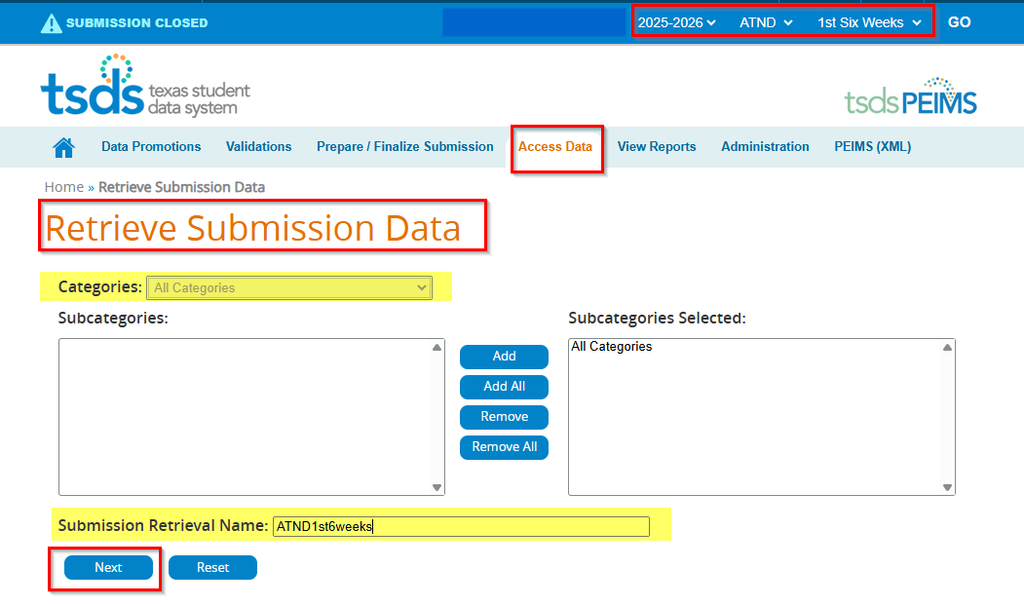
Step 3 – Retrieve the file generated (it is a zipped file) and that can be loaded in ODS.
Example from a PEIMS Attendance submission
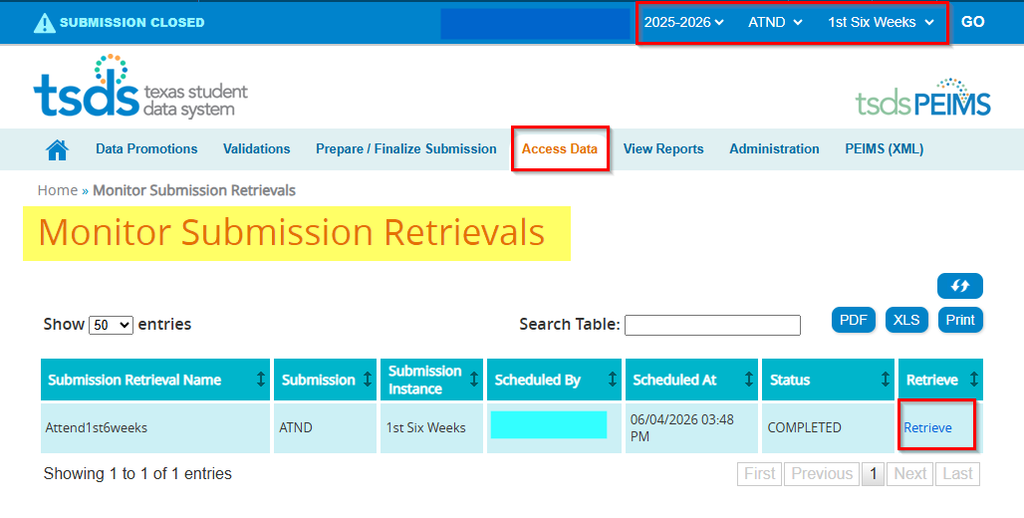
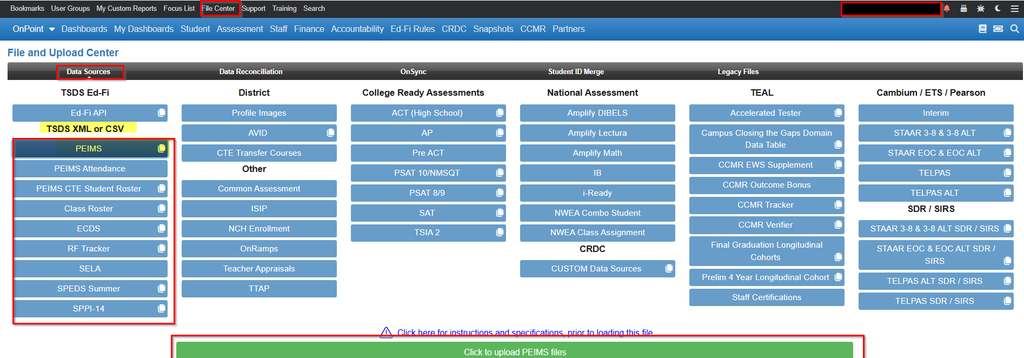
Step 4 – In ODS, load the CSVs (either the zipped file or as a group the individual CSVs) in the File Center (PEIMS for 24-25) to ensure your ODS reporting reflects the same data as you accepted and completed in TSDS. This equates to you loading your final TSDS XML submission files in the pre Ed-Fi years (23-24 and earlier). Example below of a PEIMS submission upload.
What occurs in ODS once this process begins?
- Once the CSV upload is confirmed , the TEA Ed-Fi IODS Connection Submission Schedule is disabled (turned off) for that submission. *Note the message : This collection has been disabled because a CSV file was uploaded. To re-enable it, please delete the associated CSV file and reactivate the collection….

- Any previous promoted submission records are deleted in OnDataSuite.
- Entry in File Center – Ed-Fi API for that submission is deleted and all related Dashboard and Report data.

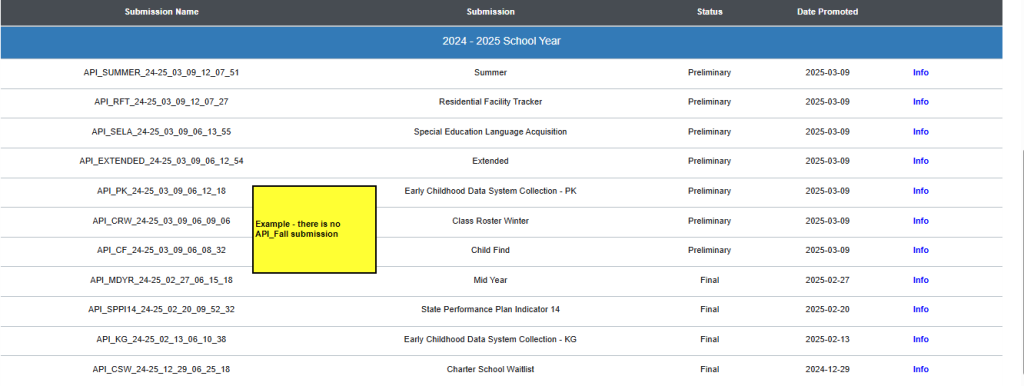
- CSV File is processed and all reporting in Dashboards/Reports are based upon the CSV file upload for that submission.
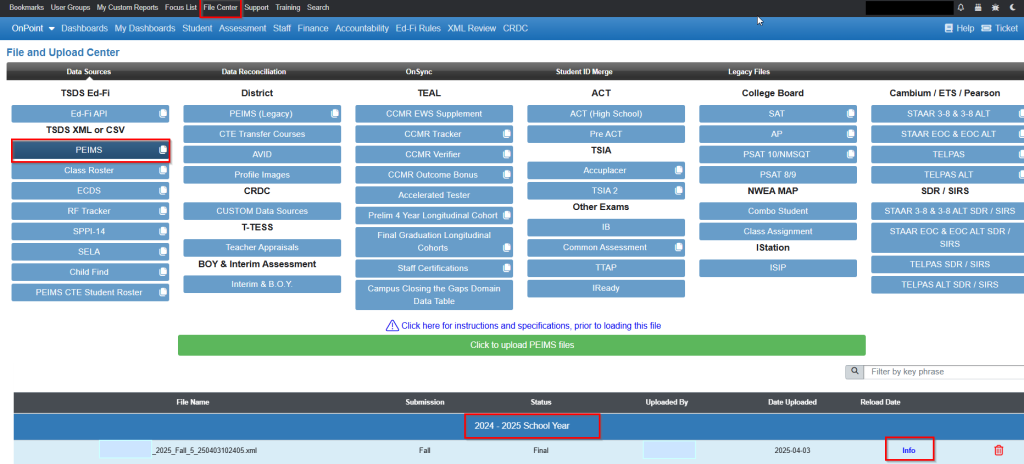
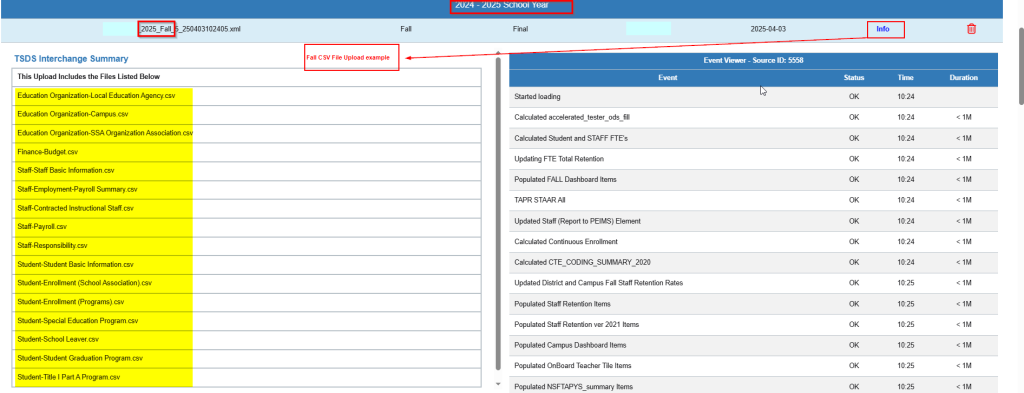
Example of complete Fall csv files that have been loaded .
Once the files are processed, if you find discrepencies with the Final TSDS PDM reporting, please submit a ticket to OnDataSuite and attach the respective PDM report from TSDS.