
General
Q. Why are you requiring CSV uploads if the data is already being pulled from our Ed-Fi connection?
We are now asking for PEIMS data as a CSV upload due to how the live Ed-Fi integration interacts with our system.
While the Ed-Fi connection to the OnDataSuite File Center is active and will automatically calculate data on its own, its “live” status means the data is constantly fluid. If staff members make subsequent updates in your Student Information System (SIS)—even for just one or two students—it can alter your snapshot or fall data totals. Last year, we saw several instances where minor, late changes to a handful of students significantly impacted district ratings.
Utilizing a manual TEA CSV upload creates a permanent, unchangeable record of your data for that specific PEIMS submission. This is currently considered best practice because it ensures the numbers you are analyzing match exactly to what TEA has on file for accountability.
Supporting KB article: Loading TSDS CSVs 2024-2025 And Beyond
Q. What are you using for Science for approaches meets and masters, as the cut points are not released until mid-summer?
As we review initial STAAR data, we want to ensure everyone is clear about the metrics we are using. TEA has indicated that the finalized 2026 cut points will not be available until mid-summer. Early results will only provide broad labels (Likely Passed, Zone of Uncertainty, Likely Did Not Pass), which are insufficient to determine precise student performance levels.
To provide us with a workable baseline in the interim, we will be using 2024–2025 Science data for the Science section of Domain 1, as the assessment has been significantly redesigned this year. Due to the reduced number of test questions and the limited reliability within the zone of uncertainty, there is not enough stable data available to confidently incorporate the new assessment results at this time.
Q. How do I know that my data has been refreshed?
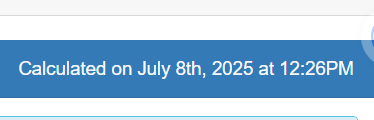
Each domain shows the date in the right-hand corner, indicating when the data was last changed.
Q. What should I do if the data doesn’t look right?
Check Domain File Status and make sure all files are loaded, then go to the file center to confirm all final files are for the current year and, if available, the previous year. Once the final files for the current year are released, delete the preliminary files and replace them with the final files.
Q.here does a Fall Snapshot student come from?
In OnDataSuite, the Fall Snapshot date is automatically pulled from the PEIMS Fall Submission (Submission 1), specifically:
| Element | Source |
|---|---|
| Snapshot Date | Derived from the Fall PEIMS Submission 1 (last Friday in October) |
| Campus/District Enrollment | Based on PEIMS Enrollment (E1001) and Campus ID (E0782) from Fall snapshot |
Q. do not have access to A-F. How do I get access?
For security purposes, OnDataSuite employees cannot add, remove, or change passwords or grant access rights to a system. To gain access, find your local admin in OnDataSuite.
Q. Does OnDataSuite apply the Sunsetting cap to A-F?
OnDataSuite applies the sunsetting cap within A–F accountability calculations. However, the CCMR Early Warning System (EWS) displays student-level CCMR indicators individually and does not apply the cap at the student view level.
This allows districts to identify every student who has earned a CCMR indicator, while the A–F calculation itself may award only up to 20% of that total under TEA accountability rules.
Domain 1
Q. Why are my year one EB students not included in Student Achievement?
Chapter 2 Student Achievement Domain – STAAR Component – Inclusion of EB Students/ELs
EB students/ELs who are reported in TIDE as year one in U.S. schools are excluded from accountability performance calculations.
Q. Why are my second-year EB students’ performance indicators not matching the category – meets, approaches master’s on their STAAR
Chapter 2 Student Achievement Domain – STAAR Component – Inclusion of EB Students/ELs
EB students/ELs who are in their second year in U.S. schools, and who have a parental denial for EL services, do not receive an EL performance measure and are included in the same manner as non-EB students/ELs.
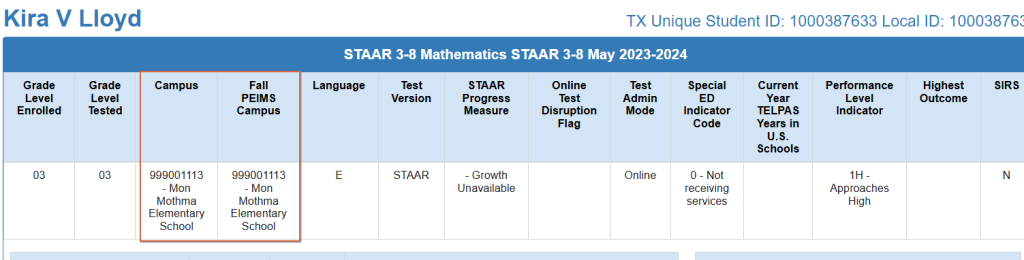
Q. If a student is missing from Domain 1, what can I look for?
- If the County Campus Number and the Fall PIEMS Campus ID do not match, they will count for the district but not the school. This can be seen on the student profile in the assessment itself.
- Reminder, first-year EBs are not included
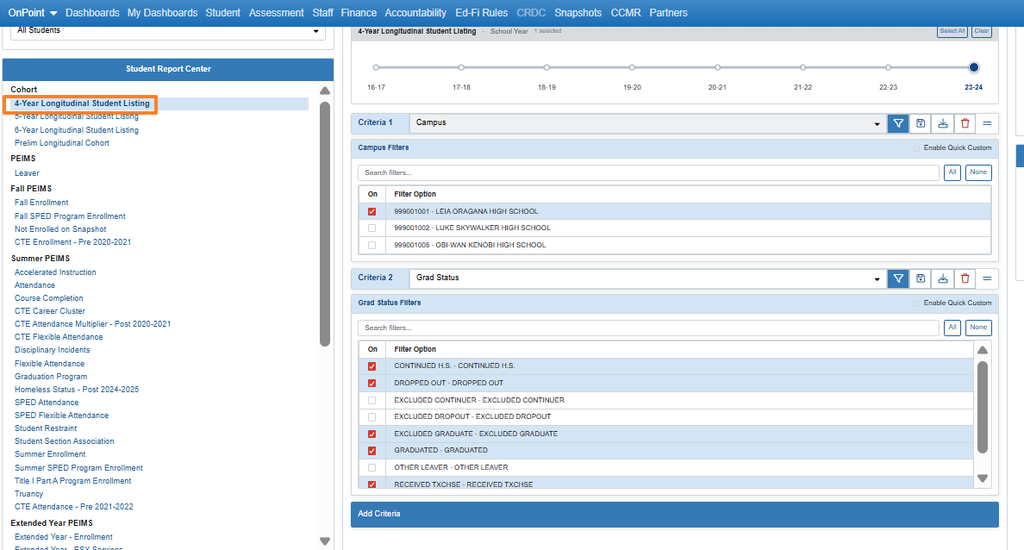
Q. How do I data-dig graduation rates in OnDataSuite?
In the Student section, you can ad-hoc the 4-year, 5-year, and 6-year graduation status
Example of an AEA campus
Domain 2
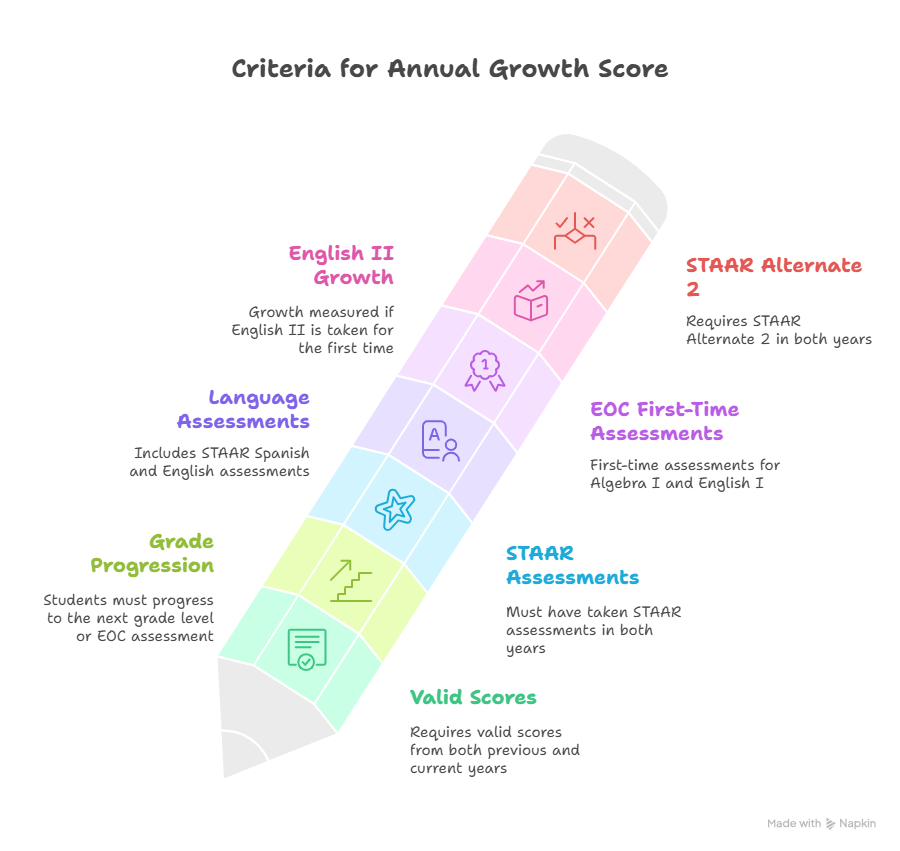
Criteria for students to be included in Domain 2
Q. If a student is missing from Domain 2, what can I look for?
- Same as Domain 1, check for the Fall PEIMS Campus and the County Campus Number to be the same
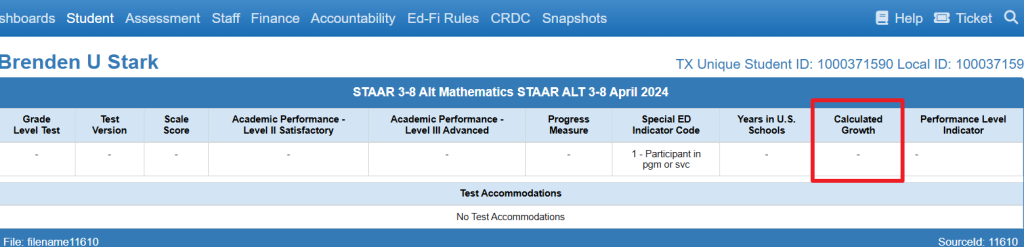
- Review the missing student’s profile and check whether they have the calculated growth.
- Retesters who have a score in the prior year in the subject and current year in the subject are excluded.
Q. How does OnDataSuite Calculation Eco Dis for relative performance?
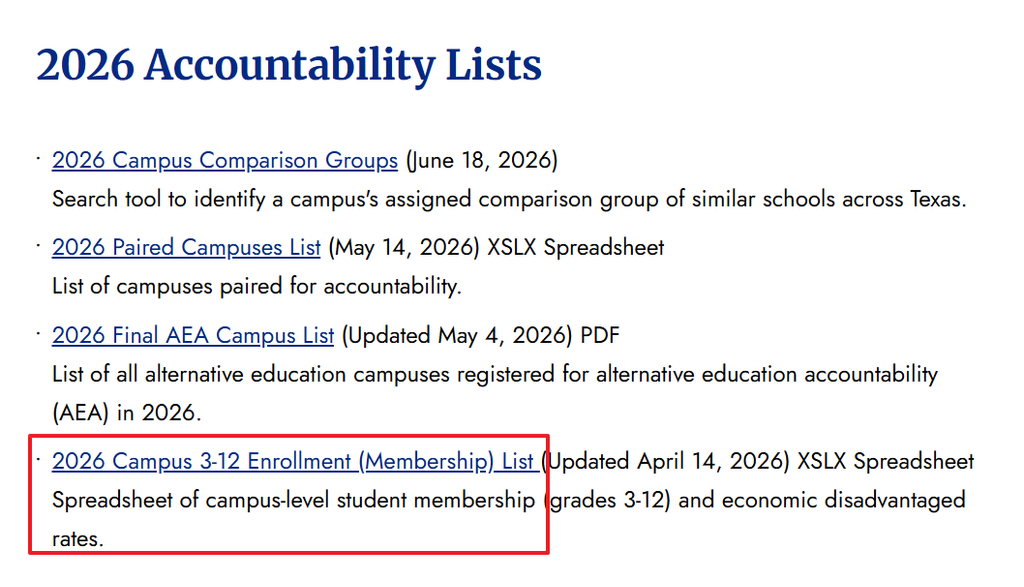
When calculating numerator and denominator counts, as well as drill-downs for Eco Dis, the values are derived from internal calculations, since TEA does not provide a student-level list for this group. However, the percentage used in score calculations is—and has consistently been—the official Eco Dis rate provided by TEA.
TEA Link to accountability Lists and Summary Reports
Domain 3
Q. Why are first-year students included in the EB portion of the Closing the Gaps Domain?
Looking at the manual, in the calculation formula, the denominator says Number of students with current year TELPAS or TELPAS Alternate assessments with
Advanced High or Basic Fluency in at least two of the four domains, or have scores in all
four domains in both prior and current year.”
Q. How does ODS determine a new school?
Uses PEIMS data, specifically summer enrollment location, and looks at prior year enrollment to see if the school had enrollment.
How to check: Student Tab > Summer Enrollment > Campus. Choose the last three years to view the data. If you are missing data can reload the Summer data.
Q. I think the points possible in domain 3 are not correct?
Make sure all subpops meet minimum size; if they do not, they will not be included in the points possible.
Q. What does the (*), or (.) mean in the closing the gaps data?
Typically, an asterisk (*) indicates the data is masked, while a period (.) means there is no data.