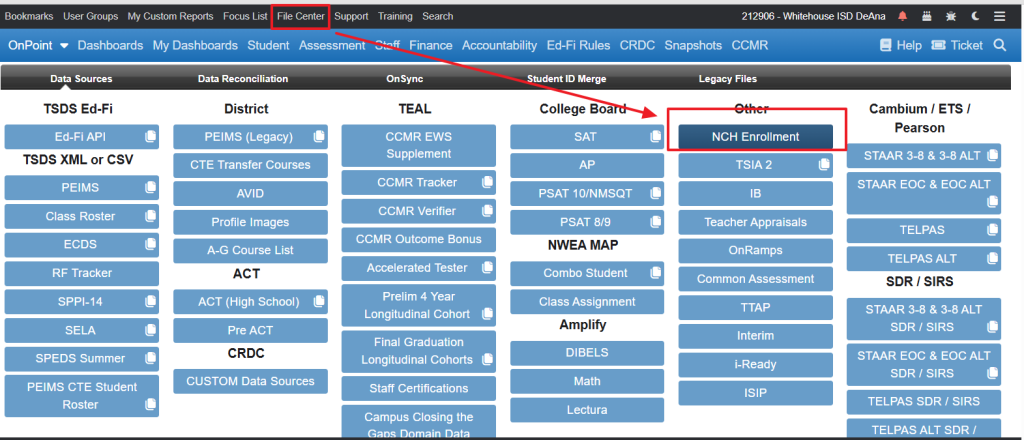
File Type: CSV
National Clearinghouse Data Website
Step 1: Obtain the NSC Enrollment File
- Log in to the NSC secure portal
- Request or download the Student Level Detail Report
- Save the file locally (do not open and re-save unless formatting is required)
Best Practice: Keep the original file untouched and make a copy if edits are needed.
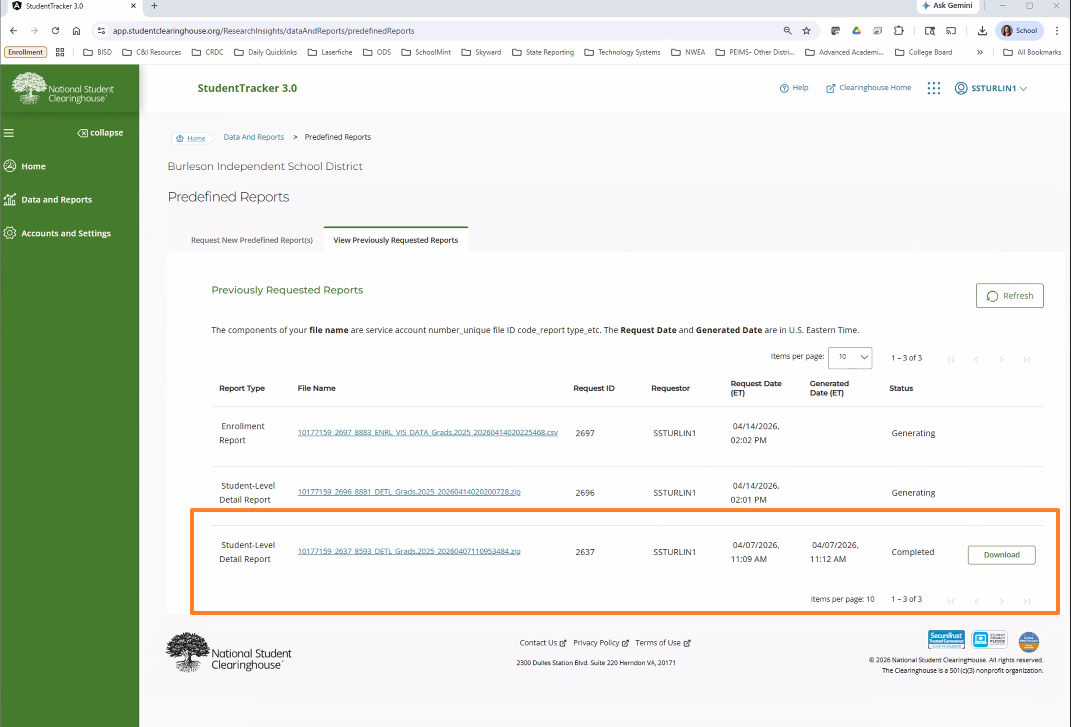
Data File Format
Load the File into OnDataSuite
- Navigate to File Center
- Select National Student Clearinghouse – Enrollment
- Click Upload File
- Choose your NCH Enrollment file
- When choosing years, you can pick your cohort year. If you are loading 25 graduates or cohort 25 you would choose the 24/25 school year – you can load cohorts starting with 22/23.