After you submit a ticket, you may need to go back and attach screenshots, reports, or other documents to help our team resolve your issue more efficiently. This article walks you through the process. Use this method for large files to keep your data secure.
Open an existing ticket.
- If you want to add attachments to an existing ticket:
- Navigate to Support
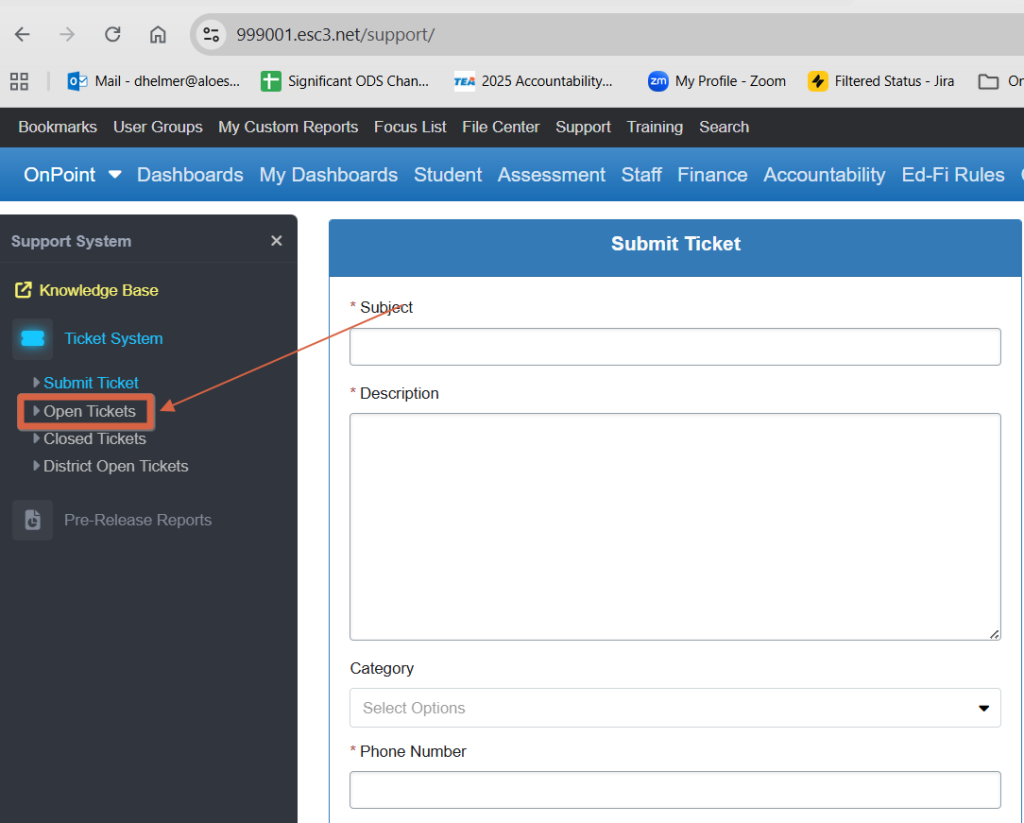
- Look for your open ticket
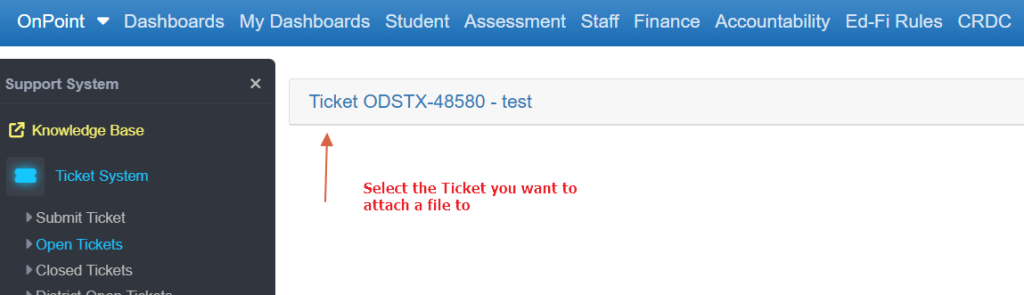
- Select the ticket you wish to update.
Attach the File
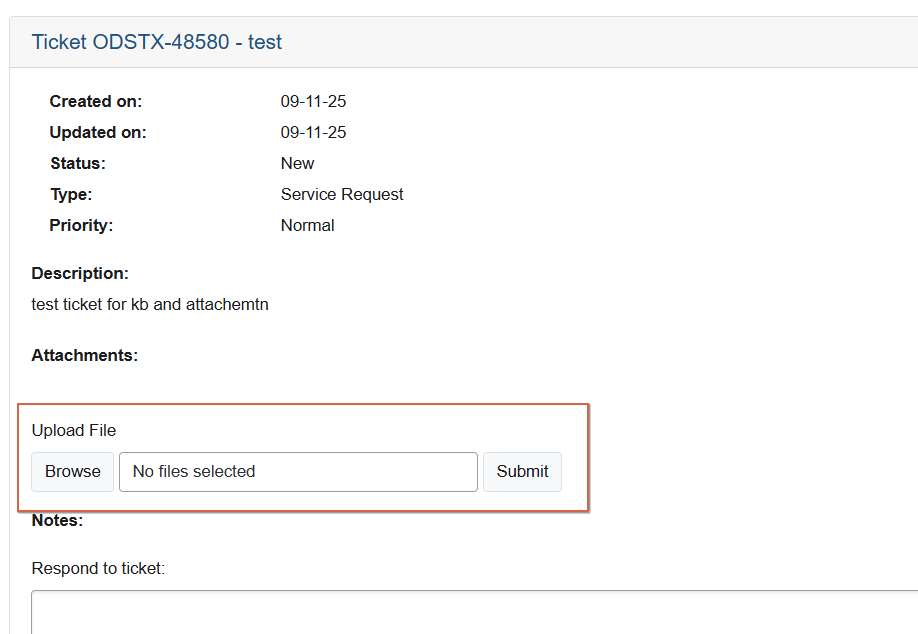
- Scroll down to the Attachments section.
- Click the Choose File (or Browse) button.
- Select the file from your computer.
- Supported file types usually include .pdf, .doc, .docx, .xls, .xlsx, .csv, .jpg, .png.
- Multiple files may be uploaded one at a time.
- Click Browse
- Your file will now appear listed under the ticket.