
The Texas Association of Business Officials (TASBO) partners with OnDataSuite to further enhance report options for our LEAs that we mutually serve. Your LEA may choose to allow TASBO staff access to your OnDataSuite database for report consulting and assistance.
To grant TASBO staff access to your OnDataSuite database, follow the steps below. Note: Your account must have “Administrator Rights” to grant access.
- First, navigate to the Administrator menu from the hamburger menu in the top right.
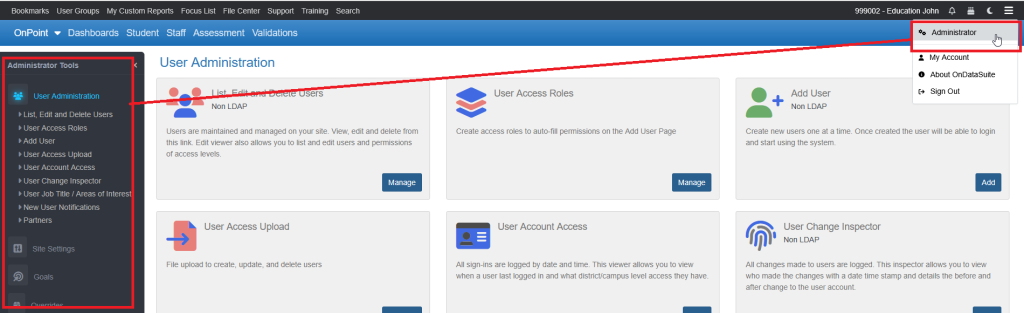
- Next choose “Partners” from the Adminstrator Tools navigation box on the left.
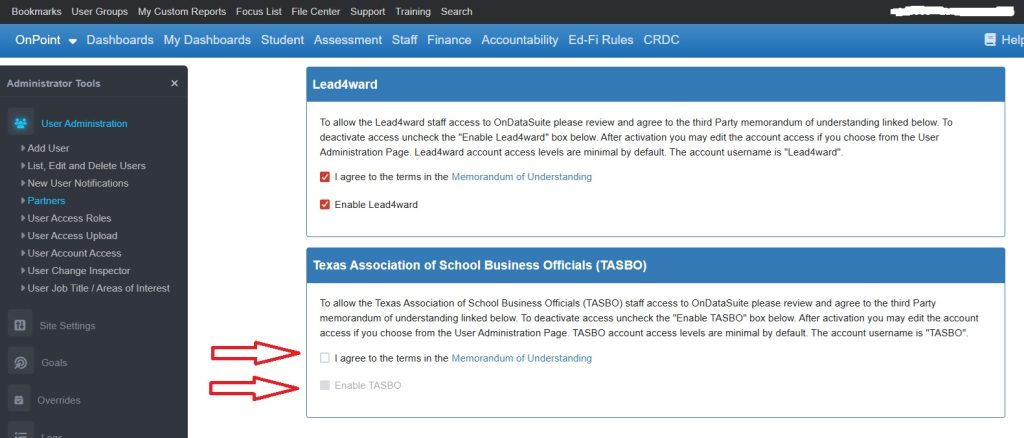
- On the Partners page, you will be required to check the box indicating your agreement to the third party access memorandum of understanding (MOU), and then check the “Enable TASBO” box to grant access. You may also remove access by deselecting the “Enable TASBO” box at any time. An email will be sent to TASBO staff notifying them access has been granted.
The default permissions are as follows;
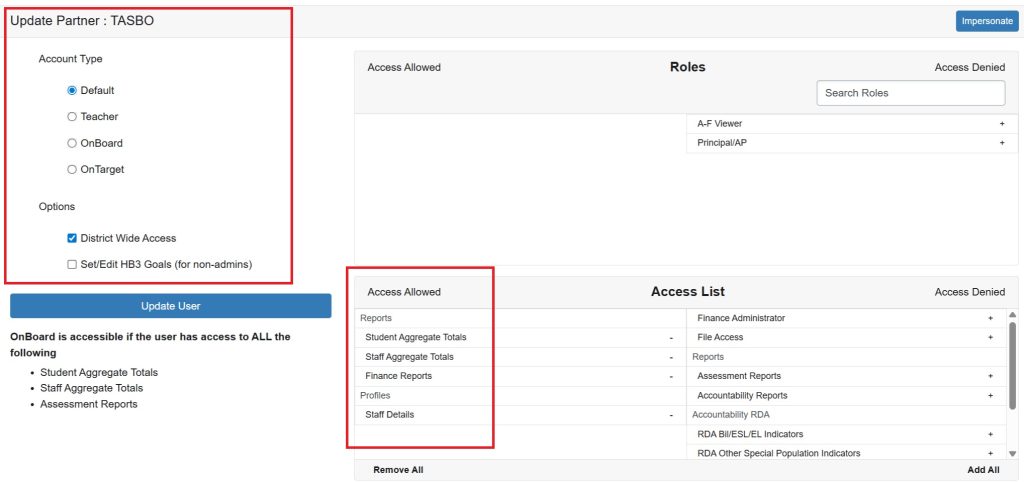
By default the permissions are very conservative, to add or remove any permissions, an OnDataSuite LEA administrator must log in and change them. (A user at your district with OnDataSuite Admin rights)
More information about user account permissions can be found here.
Adding a new User
For more information about TASBO please visit https://www.tasbo.org/