
The following steps below outline the process of generating individual CTE Profile from within the student dashboard in OnDataSuite.
Printable CTE Profile specific to an individual student can be created from within the student profile dashboard.
Step 1. Drill down to the student dashboard level
You can get to the student dashboard level by clicking on any student ID. The student dashboard provides a granular view of all of the students information and you will see a black sidebar menu on the left hand side.
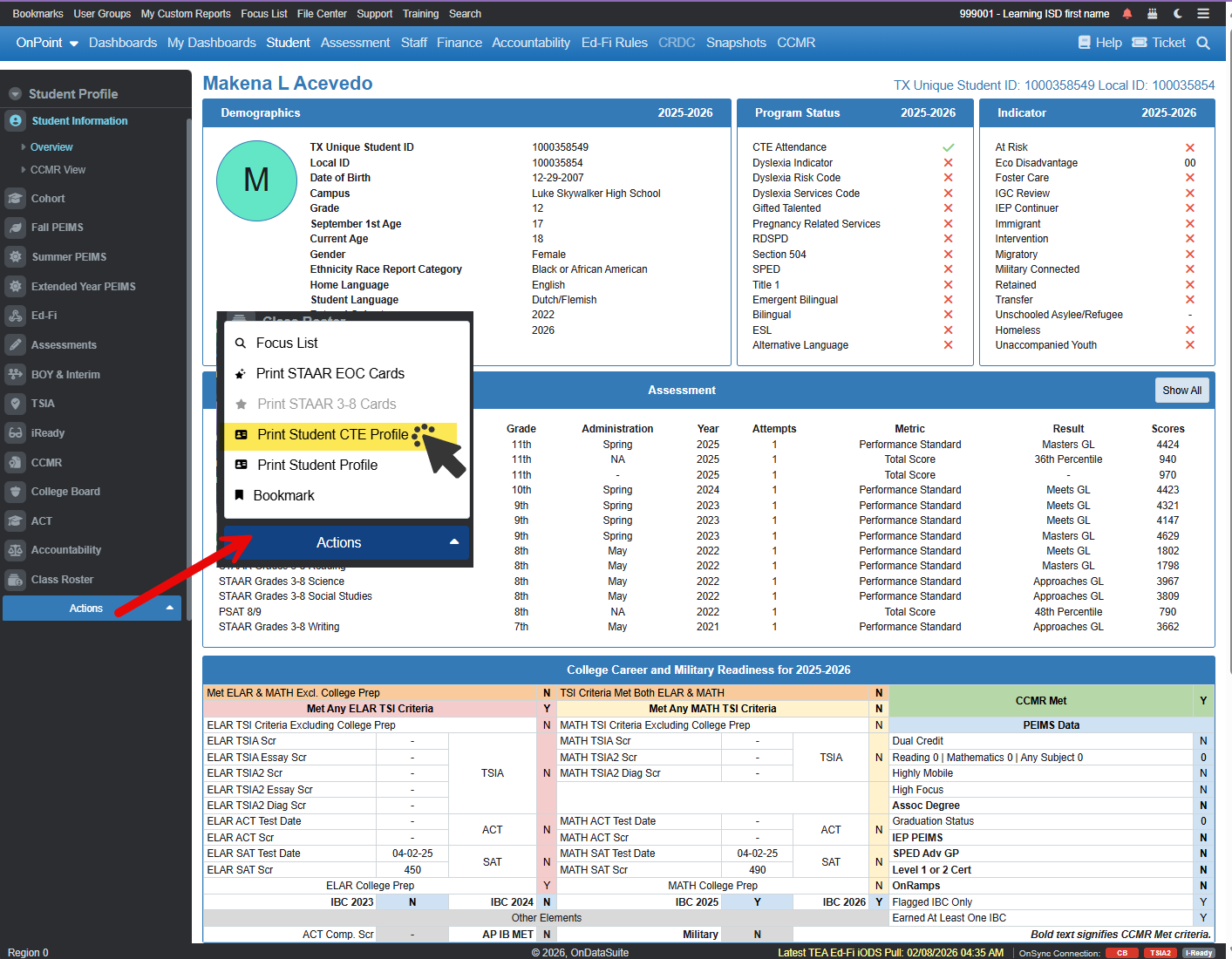
Step 2. Click on the Actions button and select the Print Student CTE Profile
Click on the ‘Actions’ button located at the bottom of the black sidebar menu and select the Print Student CTE Profile.
Step 3. Save or print
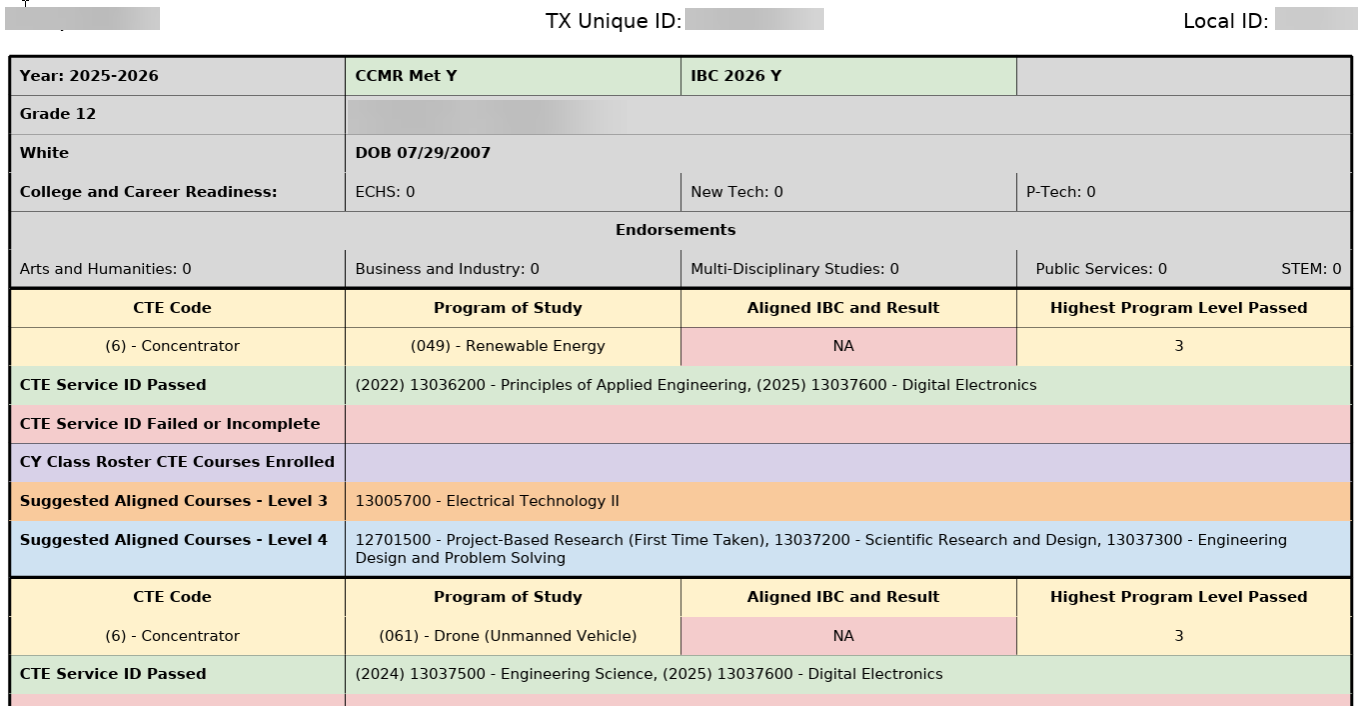
Adobe pdf window will pop up in a new browser window and you may now save the document as a PDF to be printed later or you can choose to print.
Additional Related Documentation: