
In OnDataSuite, the College Board OnSync setup is tied to a specific user account for pulling SAT/PSAT data. If you need to switch it over to a different user, here’s the process:
Steps to Change the OnSync User in ODS
- Log in as an ODS Administrator
You’ll need admin access to change OnSync credentials. - Go to the File Center
In the OnSync setup, scroll down and look for the College Board or Accuplacer credentials - Remove or Edit Existing Credentials
- If the old user’s credentials are stored, delete those credentials
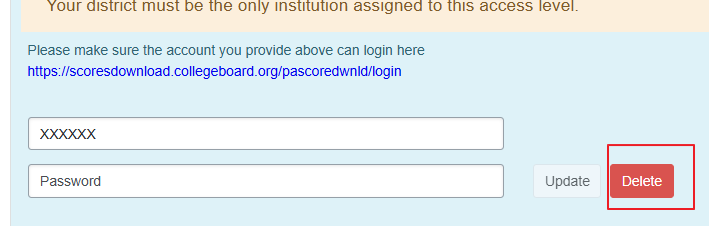
- Add the New User Credentials (They must have File Center Access to enter credentials)
- The new user must have an active College Board account with access to K–12 reporting downloads. For Accuplacer, it needs to be an Institute Admin – See setup for more questions. OnSync CollegeBoard, OnSync TSIA2
- Enter the username, password, and/or key information for that new College Board account in ODS.
- Save the changes.