Presentation for April 23, 2026 – Training Documentation
Please refer to the training provided on September 16, 2025 for an extremely detailed presentation regarding CTE Resources, File Center and CTE Data, Ed-Fi Data Status, CTE Student Custom Reports, Student Profile, and CTE Student Course Plan. The documentation for that training can be found here: https://kb.ondatasuite.com/knowledge-base/peims-cte-data-review/
- Recording of the September 16th training can be found here: CTE Data Review Webinar – September 16, 2025
Review of Data Inputs
- File Center
- Ed-Fi
- CTE Student Roster Loading TSDS – PEIMS CTE Student Roster
- CTE Transfer Courses Loading District – CTE Transfer Courses
My Dashboards
- Loading CTE Templates in Tabs on My Dashboards
- CTE CCMR Dashboard Template vs. OnDataSuite – CTE Template…what’s the difference?
- Making the CTE Templates work for you
- Settings
- Adding Comparison Year widgets to the existing ODS CTE Participants by CTE Code – duplicate for 24-25 school year for side by side comparison.
- Where do the CTE Widgets live?
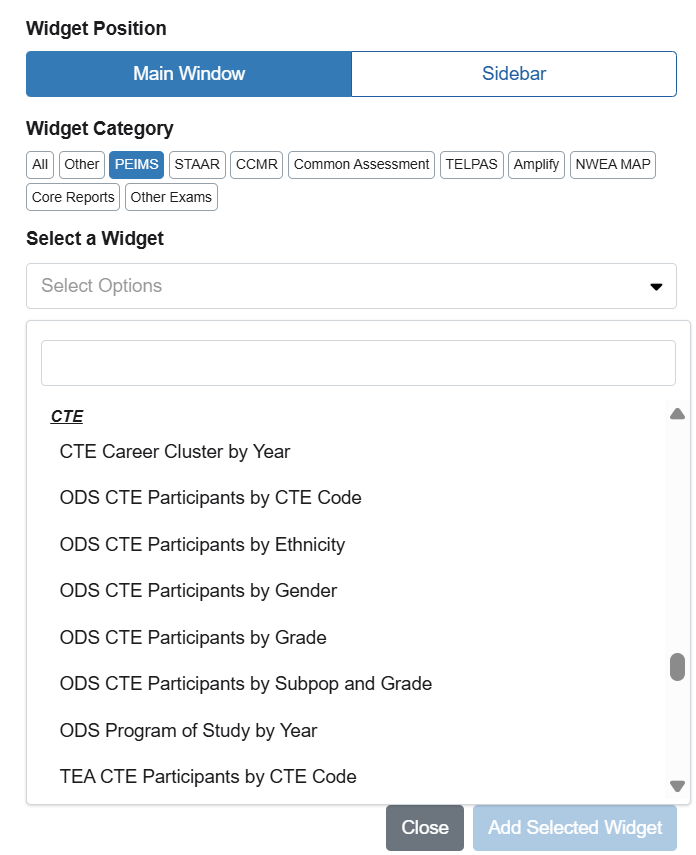
- If not using the CTE Templates and just wanting to view or add our CTE Widgets, simply click on:
- Tools; ‘Add Widget’ on any tab,
- Widget Category: PEIMS
- Select a Widget
- Scroll down about 3/4 of the way down, under the Discipline widgets, you will see a CTE category.
- or under Select Options, start typing, “CTE”
- If not using the CTE Templates and just wanting to view or add our CTE Widgets, simply click on:
- Creating your own Custom Widgets under Custom Reports Option (Student Menu)
- LOTS of changes to AdHoc reporting and AdHoc Custom Reports
- Create a Custom Report under the Student Report Center
- Save a widget of the Custom Report data and place on My Dashboards
- LOTS of changes to AdHoc reporting and AdHoc Custom Reports
Student Data Validations
- Student CTE Attendance Service ID and Course Completion CTE Service ID Mismatches
- This report will show you courses where you are reporting CTE attendance and you don’t have a course completion for the student.
- Run this report to identify any missing course completions for the CTE Students
Student Custom Reports
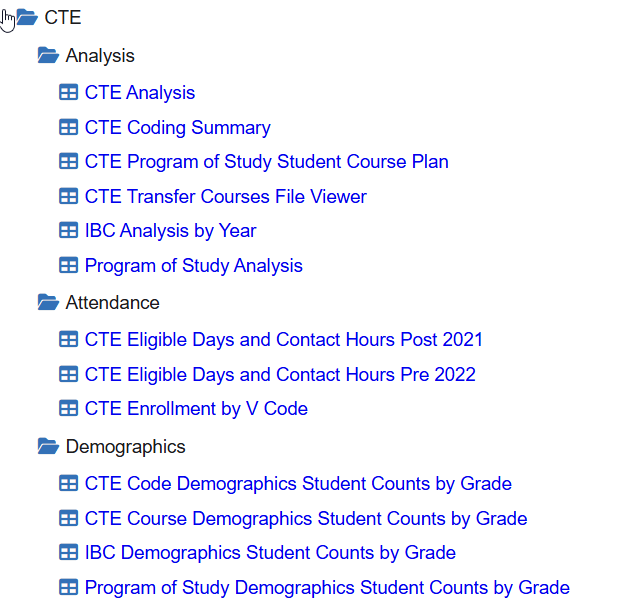
Finance CTE Reports
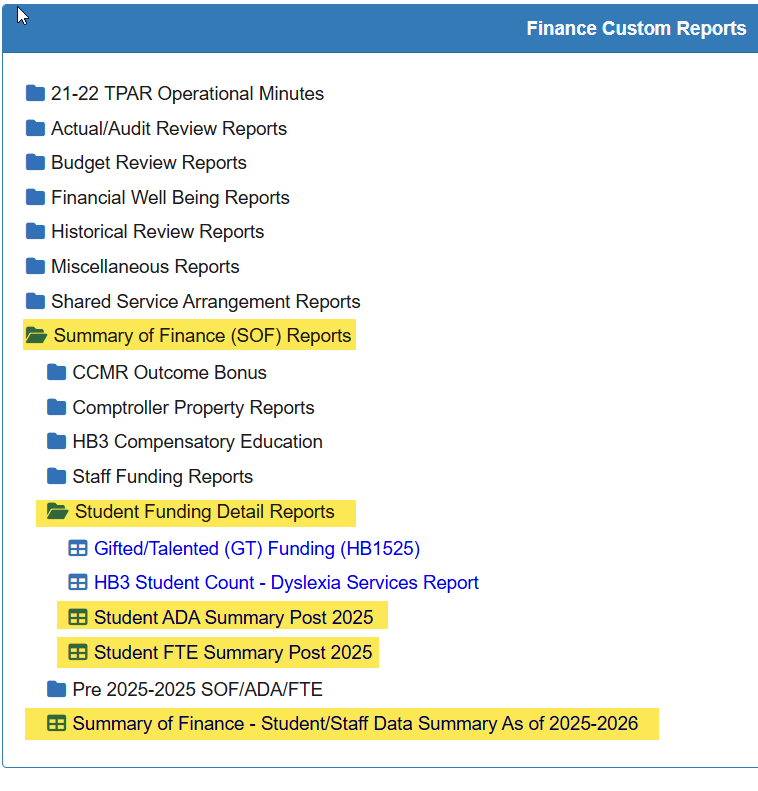
Summary of Finance (SOF) Reports
- Summary of Finance (SOF) Reports
- Student Funding Detail Reports
- Student ADA Summary Post 2025
- Student FTE Summary Post 2025
- Student Funding Detail Reports
- Summary of Finance – Student/Staff Data Summary As of 2025-2026